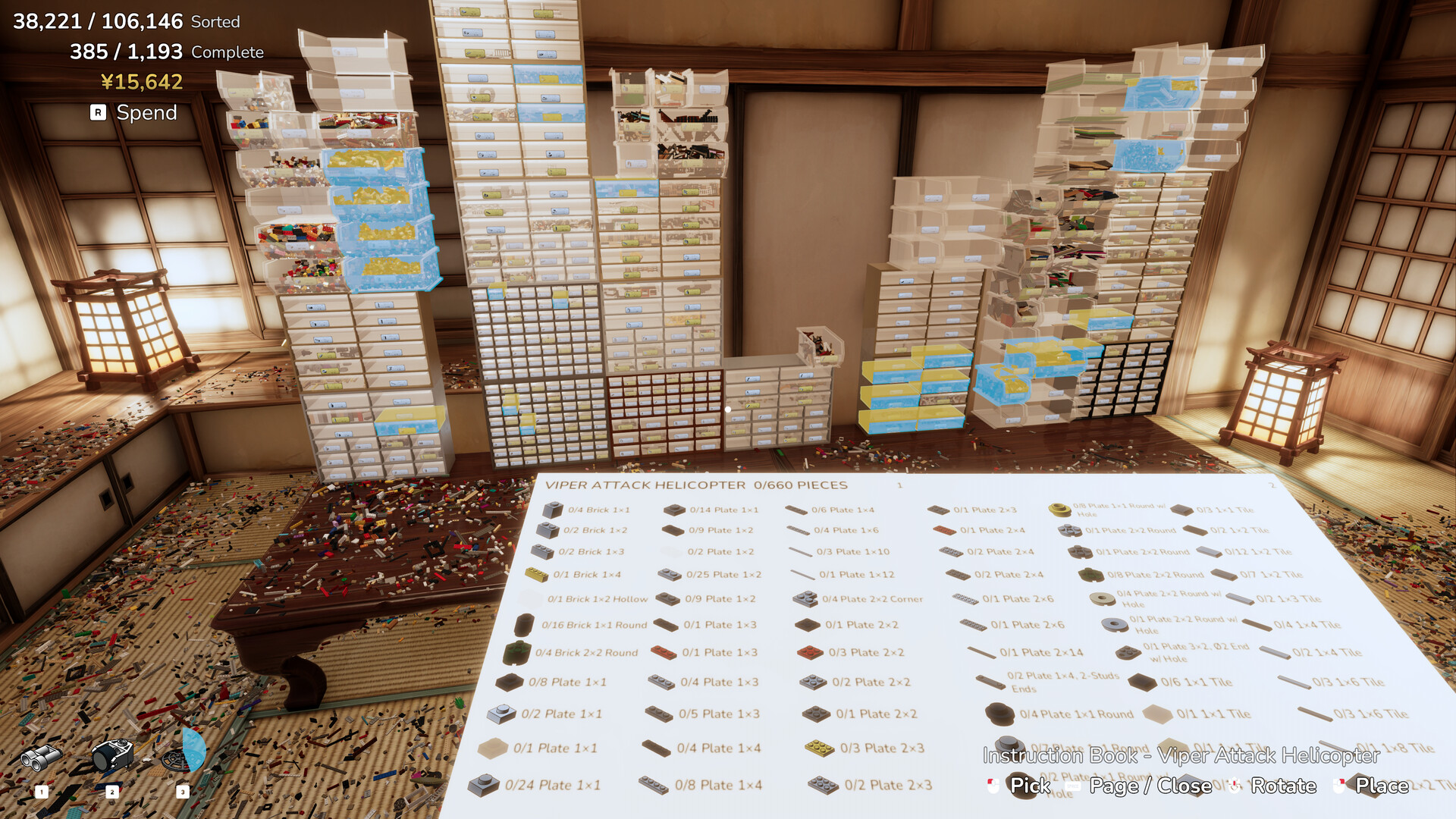
The never sort by color instruction book parts list is the pick list on the open book: a grid of small part icons, each with a label such as "0/4 Brick 1×1" or "0/25 Plate 1×2", where the first number is how many you have and the second is how many the model needs. Above it sits a title line with the model name and its piece count, for example "VIPER ATTACK HELICOPTER 0/660 PIECES", and a page indicator.
Never Sort By Color Instruction Book Parts List: What Each Number Means
Read a line as "have / need". A line reading 0/4 Brick 1×1 means the model wants four 1×1 bricks and you have placed none of them. As you fill in a step it turns green and the number changes, which makes the list a live checklist rather than a static sheet.
The list is grouped by part type and never by colour — a plate is listed once with its colour shown on the icon, and the count is the number of that part in the whole model. A row of on-screen prompts at the bottom of the screen reads Pick, Page, Close, Rotate and Place, so the book itself is navigated with the same keys you already use.
Reading The Pick List
Because the list is keyed on part type, the fastest way to complete a model is to make sure every piece of the type it needs is in a matching labelled bin before you open the book. The Scoop reaches straight into drawers while you hold a book, so a prepared storage wall feeds the model without any hand-sorting at the Pile. How the pieces actually get placed is covered in the building models guide.
Looking Up Any Part In The Catalog
There is no separate list of every part to browse. The authoritative list is the catalog behind the label menu: open the label menu on any bin, drawer or book and type into the search box, which searches the whole catalog by name and by part number. Typing "2x4" finds "2×4", and part numbers work the same way, so a specific piece can always be looked up even if you have never seen it before.
The catalog holds more than 16,000 unique parts, built on the LDraw parts library. The HUD's second counter, which reads "X / 1,193 Complete", tracks completed part types rather than individual pieces: 1,193 is the number of distinct part types in the current catalog, and a type counts as complete once every piece of it is in a bin labelled for that part.
The eight top-level groups the game itself names are Basic, Wall, SNOT, Angle, Curve, Articulation, Tech and Other, and sorting every part in one group unlocks the matching achievement. A few part types carry their own achievements too: connector friction pins (Pin Pal, 500 of them), the two of every animal mold (The Ark) and a chrome gold part (Gold Standard).
Once you know the name or number, the labelling guide covers putting it on the right bin.