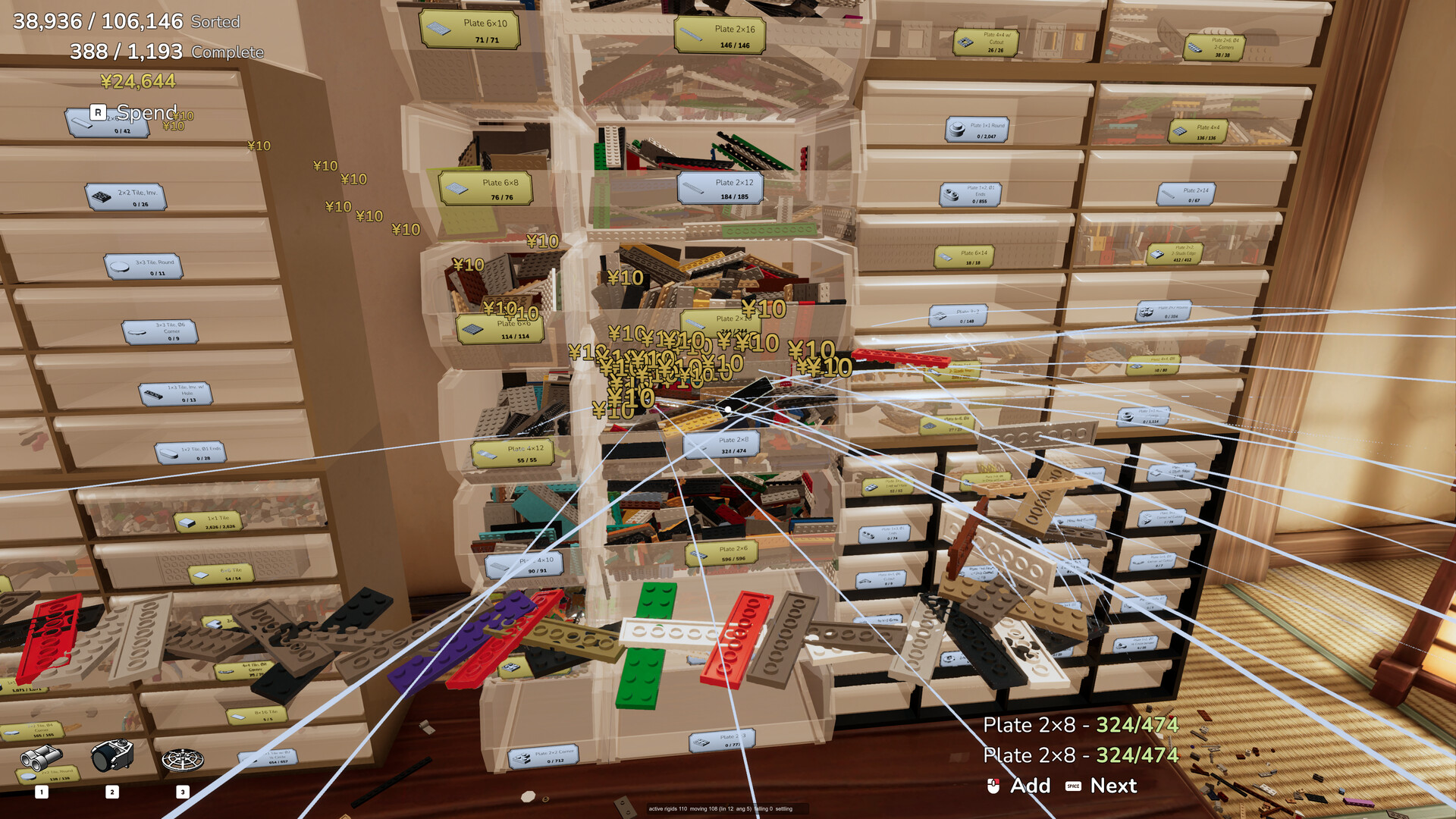
Labelling is the core management system in Never Sort By Color, and the never sort by color how to label bins routine is one keypress away. Press the Label key, G on the keyboard, or use the Label prompt that appears when you look at a bin, drawer or book. The label menu opens with a search box at the top, and that box searches the whole part catalog: typing a name or a part number finds it, and typing "2x4" finds "2×4".
Never Sort By Color How To Label Bins: The Four Steps
- Look at a bin, a drawer or a book and press G.
- Type into the search box at the top of the menu — a part name, a part number, or a size such as 2x4.
- Pick the part from the results, or take the first option in the menu, which labels the container with the part that is already inside it. That is the fastest route for a bin you have just filled.
- Press the trash can button in the header of the menu to remove a label again.
There is also an upgrade that labels bins automatically as soon as you add the first part to them, which saves step three for every bin you fill from that point on.
The check that the label landed is on the container itself: a labelled bin carries a gold label, and a drawer shows its label along with whether it is open or closed and how many bricks it holds.
Reading The Label Menu
The name of whatever you are aiming at also appears under the crosshair, so bins, books, models, drawers and buttons all identify themselves before you even open the menu. Buttons describe their own action, such as "Radio - Next Track". If you are not sure what a part is called, the same catalog the search box uses is described in the instruction book and parts catalog guide, including the eight top-level part groups and the piece counts behind them.
What A Label Tells You
A gold bin label does more than sort. It shows how many of that part are already built into models, so you can see at a glance what is still outstanding rather than counting by hand. A drawer without a label does not tell the game what it holds, which is why an unmarked drawer does not count as sorted even when it is full of the right bricks.
Once the labels are on, the drawer layout guide covers where those labelled drawers should go and how the Planned mode orders them for you.