Oboro no Ichi market products are three goods in total — Fresh, Protein and Grain — and a stall carries one of them only once the production building for that good exists, with prices starting at x1 and an upgrade to x1.25 costing 250.
Oboro no Ichi market products: what a stall sells
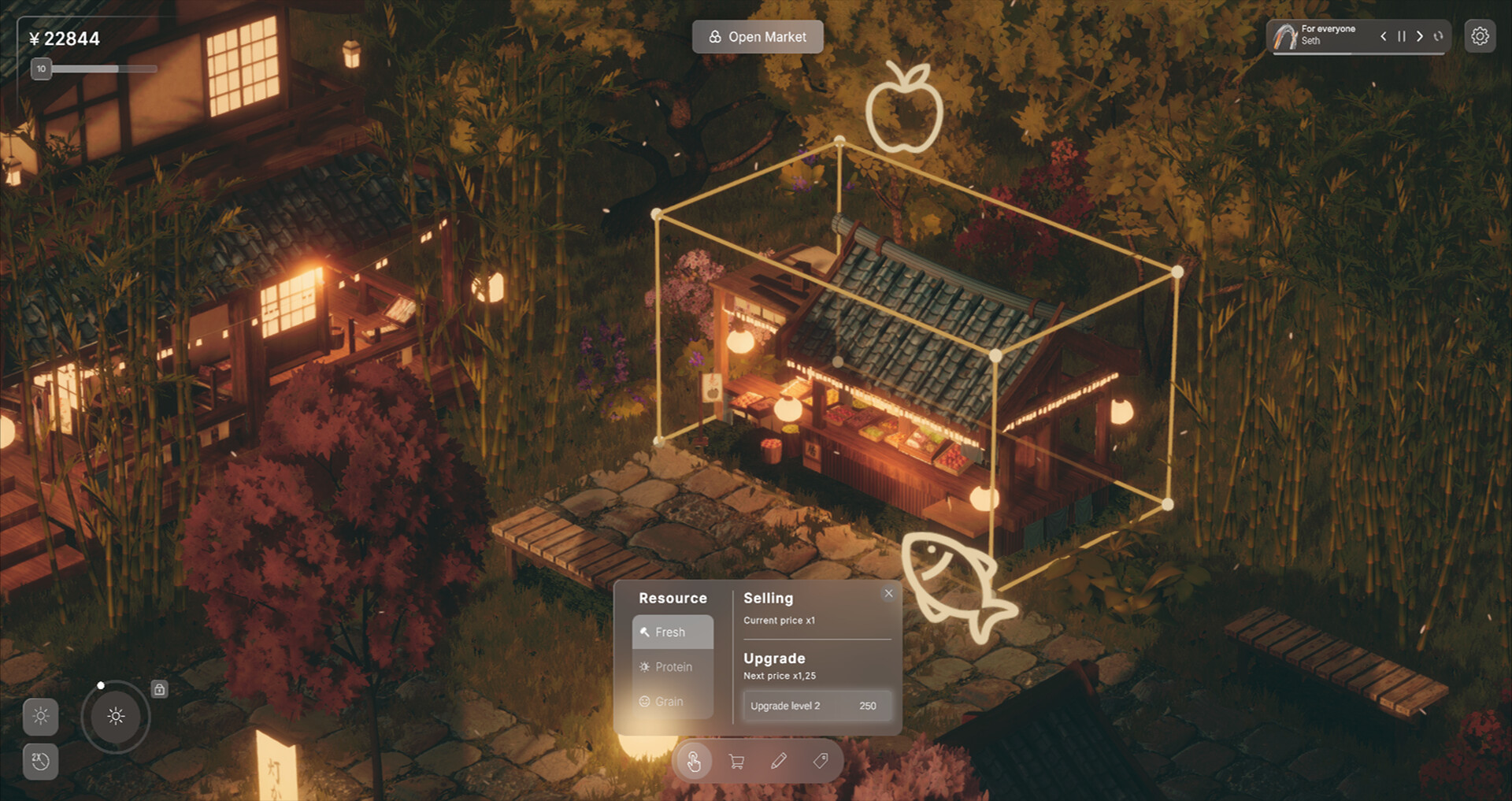
A stall's Resource list holds three products, each with its own icon:
- Fresh
- Protein
- Grain
A stall only carries a product once the matching production building exists. With only grain in stock, the fresh products and protein products stay at zero until their production buildings are built — the stall is not malfunctioning, it simply has nothing to sell yet.
The shopping cart button on a selected stall is where the goods a stall offers are assigned.
Reading a stall at a glance
A selected stall is outlined with a wireframe box, and a large floating icon of the product it is currently selling appears above it — an apple above a produce stall. That icon is the fastest way to check what a stall is carrying without opening any panel.
Below the stall sits the four-button toolbar: a hand for moving, a shopping cart for assigning the goods the stall sells, a pencil for editing, and the tag-shaped button that deletes the placed object. A stall carrying only one of the three goods is a production problem rather than a pricing one, and the production chain explains the diagnostic.
Pricing and upgrading a stall
Pricing and upgrading live in the stall panel's Selling section:
| Setting | Value |
|---|---|
| Current price | x1 |
| Next price after upgrading | x1.25 |
| Upgrade level 2 cost | 250 |
A stall that is working well is worth upgrading rather than replacing. Getting more customers through the door is the other half of the same loop, and attracting more spirits covers it.
What the HUD counters track
The top HUD tracks money with a Yen counter, which reads an infinity symbol in the demo's free build mode, alongside three counters: an apple counter for resources, a second counter, and a ticket counter. A progression badge with a progress bar sits under the money counter. Bottom-left controls cover day and night with a sun-to-moon dial, a 2x speed button, a camera button and a grid button.
Sales happen while the market is open. The Open Market / Close Market button sits at the top of the screen and reads Close Market once spirits are inside and trading.
The full game's Early Access roadmap adds new items and structures plus more market content and systems, so more products and production buildings are planned beyond what the demo contains.