Carry On Together how to drive the truck with W and S to accelerate and reverse, A and D to steer and Space to brake, and you get in with E, which is Interact and Enter Vehicle.
Carry On Together how to drive the truck: every key
Climb in with E, and the on-foot control list is replaced by the vehicle keys:
- W / S - Accelerate / Reverse
- A / D - Steer
- Space - Brake
- H - Horn
- G - Toggle Headlights
- B - Radio (Hold)
- C - Third-Person Camera
- M - Map
- F - Exit Vehicle
- Middle Click - Ping
The cab and the navigation screen
The cab is a working dashboard rather than a decorative prop. A speedometer reads up to 160, and a small navigation screen next to it draws the delivery route so you can see where the next drop is without alt-tabbing to the map. You get both a first-person cab view and a third-person camera view, and C switches between them.
The lighting on a run also moves. A day starts at the brightest hour at the mission house and slides toward late afternoon as the mission goes on, so a long mountain delivery gets noticeably darker than the town run you started with.
The loading screen before a job now carries 20 in-game tips, which is a decent place to pick up anything the control list does not make obvious. The markers on the ground tell you which drop is next, and the delivery locations guide covers the four kinds of site and the distances the HUD prints.
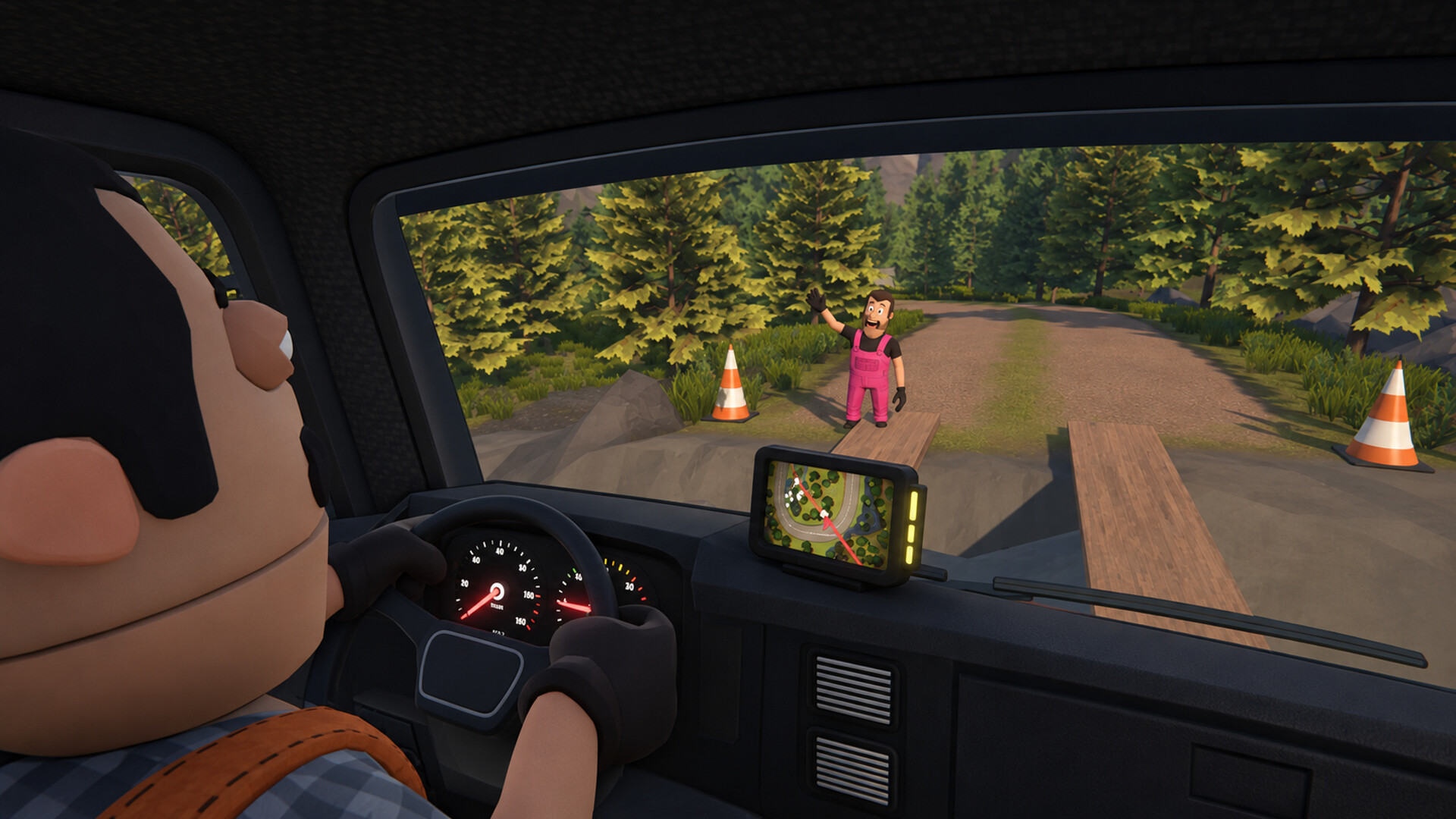
Driving with a crew
The drive is the most dangerous part of the job, because one sharp turn can send the whole cargo flying. That makes the choice of driver a trust question: in co-op, one player drives while the others handle the load, and the crew is trusting you with everything they carried down the stairs.
If the load starts shifting as you corner, that is a driving problem as much as a loading one — cargo flying out covers what causes it and how to keep the furniture on the bed.