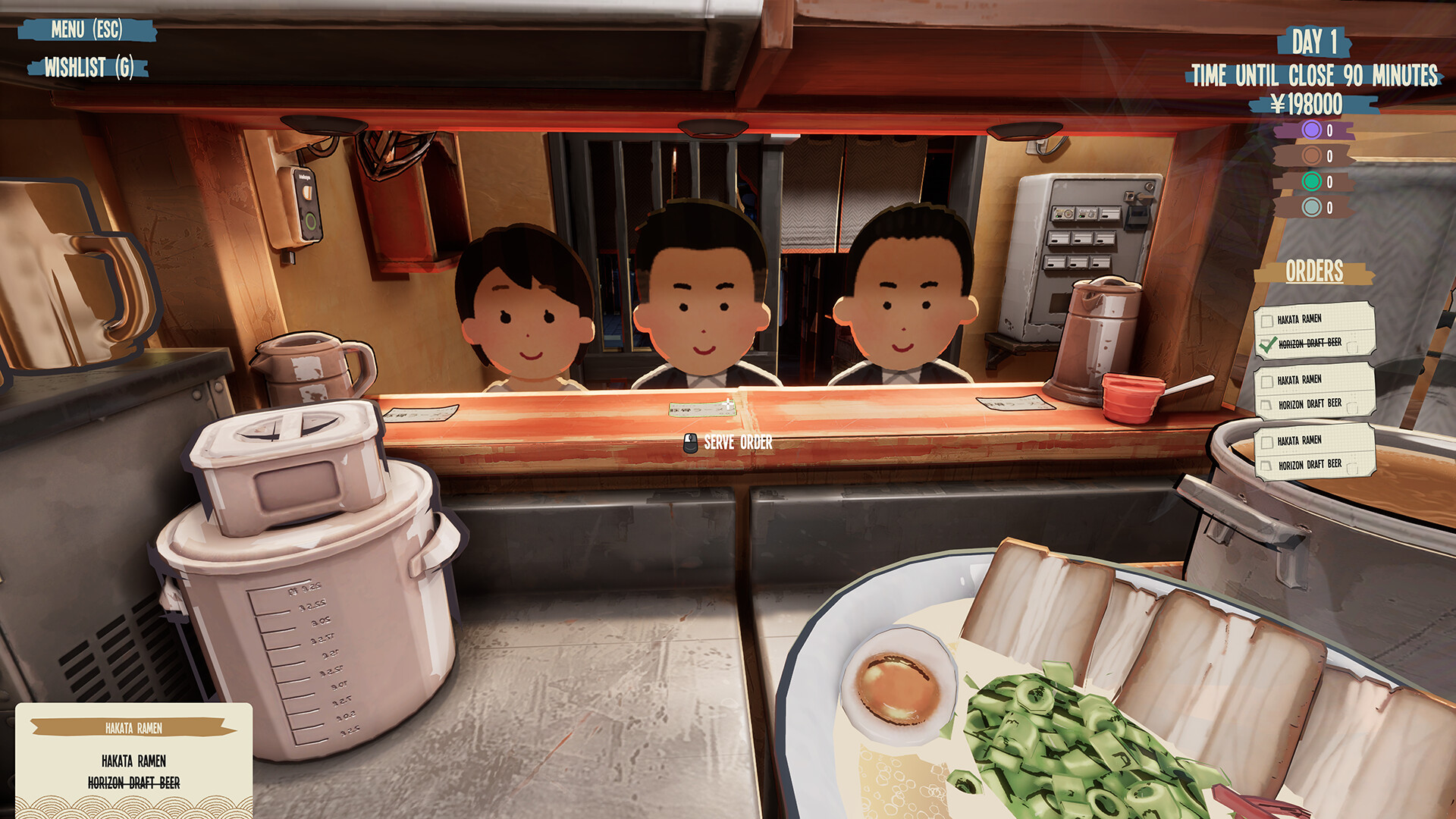
Ramen Shop Simulator how to serve customer orders is a four-part loop: read what the customer ordered, cook that dish, carry it over one bowl at a time, and watch the order tick itself off. The ORDERS panel on the right of the screen and the order slip in the world show the same thing, so you can read the order from wherever you happen to be standing.
Ramen Shop Simulator how to serve customer orders: the steps
- Read the order. The ORDERS panel on the right of the screen lists what each customer has ordered, and the order slip in the world shows the same list.
- Cook the dish they asked for. The game tells you which menu item a customer wants, and the recipe for it is in the Notebook — the recipes guide lists the four you start with.
- Carry it over one bowl at a time. Only one bowl can be handed over at a time, so a stack of bowls has to be served one bowl at a time.
- Hand it over and watch the tick-off. When a customer receives their item, the item is struck through on the order slip and on the panel, so you can tick off what has been served.
- Take the bowl back. Customers bring the bowl back to the counter when they are finished with it.
Step five matters more than it looks. The bowl comes back to your counter rather than going home with the customer, which means it is back in your washing pile and not on the floor — and a pot or bowl cannot be washed until you have emptied its food into the trash.
Before a bowl leaves your hands it is worth one last look, because the score it carries can still be read while you are holding it — the bowl rating guide covers what a good bowl looks like at the counter.
One bowl at a time
The one-bowl limit is the rule that decides how you arrange your kitchen during a rush. You cannot hand over three bowls at once, so three finished bowls are three trips, and each trip costs you time that the clock is measuring.
The way to live with it is to finish one bowl completely before you start the next, and to keep the counter clear so you are not walking around your own stock. A stack of bowls waiting to go out is also a stack that gets cold.
Beer as well as ramen
Customers can order beer as well as ramen, and the beer they order is the Horizon drink, which turns up on the order slip as HORIZON DRAFT BEER. That makes it a stock item rather than a decoration: you need it on hand before the rush, and the Horizon drink guide covers where to buy it and what to do if the konbini's drinks category is empty.
Serving the wrong item is the other side of the same coin. If a customer wanted plain chicken ramen and you hand over egg ramen, it does not count towards the bowl objective, and the day can end with no further customers being sent to you. The stuck no customers guide covers that failure in full.
After they eat
Once the customer has finished, the bowl comes back to the counter and the review starts to form. You can read the score on a bowl while you are still holding it, so the moment of handover is the last chance to spot a bowl that was not right — the bowl rating guide covers what the score means and how to read it before serving.
Earlier builds let a customer carry the bowl home. That was changed, and now the bowl always comes back to the counter, which is why the washing pile at the end of a shift is complete and why the wash-up is part of the closing routine rather than something that happens to the bowls you happen to still have.
The bowl then joins the wash-up, which is the last item in the cleaning guide and the one that most affects the reviews tomorrow.